Lotus Cricket Betting App Download Safety and Account Security
Here is something worth knowing before you tap install: according to data the Ministry of Home Affairs shared in Parliament in 2025, Indians lost ₹22,845 crore to cyber fraud in 2024, a jump of 206% from the previous year. A large part of that fraud started with one careless APK download. That does not mean every third-party app is dangerous. It means you need to check a few things before, during, and after downloading any betting app, including the Lotus Cricket Betting App.
This guide walks you through those checks in plain language.
What Is an APK and Why Does It Matter for Safety?
APK stands for Android Package Kit. It is simply the file format Android uses to install apps. When you download an app from the Google Play Store, your phone is handling an APK file behind the scenes. The difference with a betting app like Lotus365 is that it is not listed on the Play Store, because Google does not allow real-money gambling apps in India. So you have to download the APK file directly from the platform’s website.
This is where the risk comes in. Anyone can create a fake APK file, put it on a website that looks official, and trick you into installing it. Once installed, that fake app can quietly read your SMS and steal OTPs, access your contacts, or track everything you type, including your UPI PIN.
The solution is not to avoid APK downloads entirely. It is to download only from the right source and to know what permissions a legitimate app actually needs.
Downloading the Lotus365 APK Safely
The only source you should use is the official Lotus365 website. Do not download the app from a link sent to you on WhatsApp, Telegram, or Instagram. Do not use a third-party APK hosting site. India’s cybercrime coordination body, the I4C, has specifically warned users against clicking download links shared through social media ads and messaging apps, because these often lead to lookalike websites built to steal your login and payment details.
Before you enable Install from unknown sources on your Android phone, check the URL in your browser carefully. The domain should match the official platform URL exactly. A single letter difference like lotus-365 instead of lotus365 is a red flag.
If you want to use the lotus365 apk version, go directly through the official link rather than searching on Google and clicking the first result you see. Paid ads can be placed by fraudsters too.
Once you have the file, there is one more step before installing it: scan it. Open Google Files or use a trusted antivirus app to scan the downloaded APK for malware. Google Play Protect which works even on apps installed outside the Play Store can also flag suspicious files if it is turned on in your settings.
Which Permissions Should You Allow and Which to Refuse
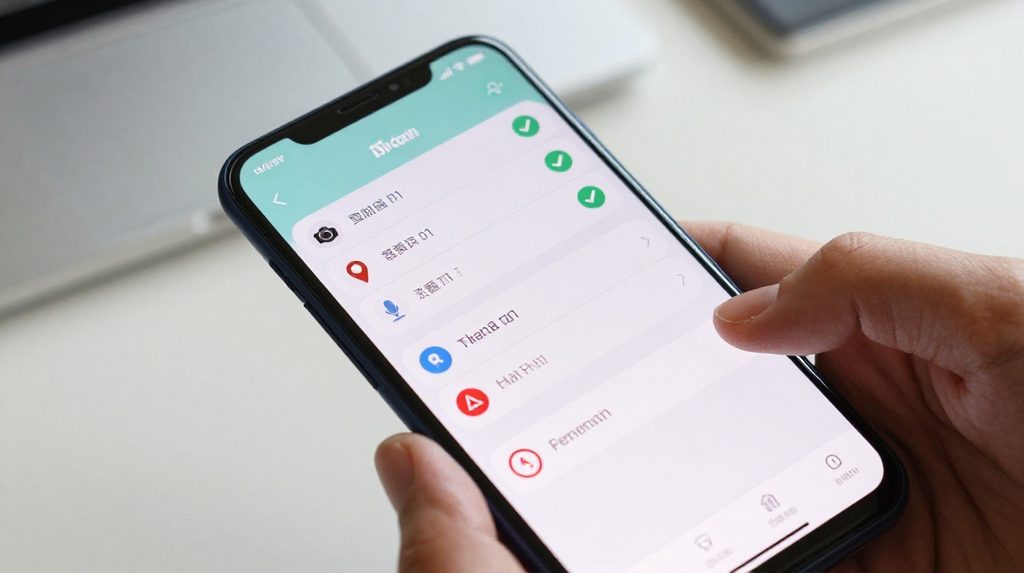
This is the part most guides skip. When you install the Lotus365 app and open it for the first time, Android will ask for various permissions. Here is what to expect and what each one actually means.
| Permission | Why a betting app needs it | Safe to allow? |
|---|---|---|
| Internet access | To connect to markets, odds, and your account | Yes, always required |
| Notifications | To alert you about bet settlements and deposits | Yes, recommended |
| Camera | For KYC document scanning only | Allow only when prompted for KYC |
| Storage | To save app data and cached images | Yes, normal |
| Biometric / fingerprint | For quick secure login | Yes, recommended |
| Contacts | No legitimate betting app needs this | Refuse |
| SMS / Messages | A genuine app does not read your SMS | Refuse unless explained |
| Accessibility | Never needed by a betting app | Refuse immediately |
| Location | Some apps ask, but it is not required for betting | Refuse if not needed |
The I4C’s advisory to Indian users is clear: never grant Accessibility permissions to an app you are not fully sure about. That permission can allow an app to see and control everything on your screen, including your banking apps and incoming OTPs.
If the Lotus app you installed asks for Accessibility permission on first launch, do not grant it. Uninstall the app and re-download from the official source.
Setting Up Your Account the Right Way
Once you have installed the app safely, account setup deserves your full attention. There is one mistake Indian users make that causes more problems than any other: entering a name that does not exactly match the name on their UPI account or bank account.
When you register, the name you give must match your bank or UPI registered name exactly, including spacing and spelling. Even a small difference, like writing Arun Kumar when your UPI is registered as A. Kumar, can delay or block your withdrawals entirely. This is not a platform issue. It is a KYC mismatch, and it takes days to fix.
Use a strong, unique password for your Lotus365 account. A strong password has at least 10 characters, mixes letters and numbers, and is not used on any other site. If the platform offers two-factor authentication (2FA), turn it on. This adds a one-time code step at login, so even if someone gets your password, they cannot get into your account without also having access to your phone.
For login convenience, the lotus365 blue version of the platform uses the same underlying account and the same balance. Your security settings carry across, so there is no need to set them up again.
Keeping Your Account Secure After You Start Betting
Security is not a one-time setup. A few habits make a real difference over time.
Always log out after a session, especially if you are on a shared device or a family phone. This takes five seconds and prevents someone else from placing bets or withdrawing funds in your name.
Avoid using betting apps over public Wi-Fi, like at a café or railway station. These networks can be monitored by others. Use your mobile data instead, or a trusted home network.
Keep the app updated. Updates are not just about new features. They often include security patches that fix known vulnerabilities. An outdated app may have gaps that bad actors can exploit.
Check the recent login or account activity section in the app periodically if it is available. If you see a login from a device or location you don’t recognise, change your password immediately and contact customer support.
The Legal Situation in India What You Should Know

Online betting sits in a legal grey area in India. The central law, the Public Gambling Act of 1867, was written for physical betting houses and does not clearly address online platforms. Because of this, the legal status of online betting is decided at the state level, and it varies significantly.
States like Telangana, Andhra Pradesh, and Karnataka have passed laws that restrict or ban online gaming and betting. States like Goa and Sikkim have more permissive frameworks for specific formats. In many states, the law simply does not address online betting, which creates uncertainty rather than permission.
This means you should check the specific rules in your own state before using any betting platform. The fact that an app is downloadable and functional in your city does not mean it is legally permitted there. Consult a lawyer if you are unsure, particularly if you are placing large amounts. Platform availability is a technical matter. Legality is a separate question.
All betting involves real financial risk. Never bet money you cannot afford to lose. If you find yourself betting to recover previous losses, that is a warning sign worth taking seriously. The National Problem Gambling Helpline is available at 1800-11-0031, managed by iCall/NIMHANS partner organisations.
You must be 18 years of age or older to use any real-money betting platform.
What to Do If You Suspect a Fake App
If something feels wrong after installing an app, whether it is draining your battery unusually fast, showing unexpected notifications, or asking for strange permissions at odd times, act quickly.
First, revoke all permissions you granted. Go to Settings, then Apps, find the app, and turn off every permission. Then uninstall it.
Second, check your recent transactions through your UPI app or bank. If you see anything unusual, call your bank immediately and put a temporary block on UPI.
Third, file a complaint. India’s cybercrime helpline number is 1930. You can also lodge a complaint online at cybercrime.gov.in. The sooner you report, the higher the chance of limiting your losses.