Lotus365 Login Problems Common Errors and Fixes
You tap the login button, wait a few seconds, and nothing happens. Or you get a message saying your password is wrong, even though you are sure it is correct. Maybe the OTP for verification simply does not arrive on your phone. These are real Lotus365 login problems that Indian users run into regularly, and they can be sorted quickly once you know what is causing them.
Before you proceed: Online betting and real-money gaming platforms operate in a legally restricted or grey area in many Indian states. States like Telangana and Andhra Pradesh have explicit bans on online betting. The Indian government’s Ministry of Electronics and Information Technology (MeitY) has blocked thousands of illegal gaming platforms. Check the rules in your state before using any such platform, and be aware that access may be restricted for legal reasons at any time.
Why Lotus365 Login Errors Happen
Most login failures on Lotus365 are not caused by a major technical breakdown. They come from a small set of repeating problems: wrong details entered in a hurry, cached data on your browser or app that has gone stale, security systems that lock an account after several failed attempts, or a website domain that your internet service provider (ISP) has restricted.
Understanding the cause saves you time. Instead of trying every fix randomly, you can match the error you see on screen with the right solution below.
| Error on Screen | Most Likely Cause | First Fix to Try |
|---|---|---|
| Incorrect password / username | Wrong credentials or old auto-fill | Reset password via OTP |
| OTP not received | Carrier filtering, weak signal, or wrong number | Check signal and SMS spam folder |
| Account blocked / access denied | Too many failed attempts | Wait 30 min or reset password |
| Site not loading / blank screen | Cache issue or outdated app | Clear cache or reinstall app |
| “This site can’t be reached” | Domain blocked by ISP | Try a different network or URL |
Fix by Fix: What to Do for Each Common Error
Wrong Password or Username
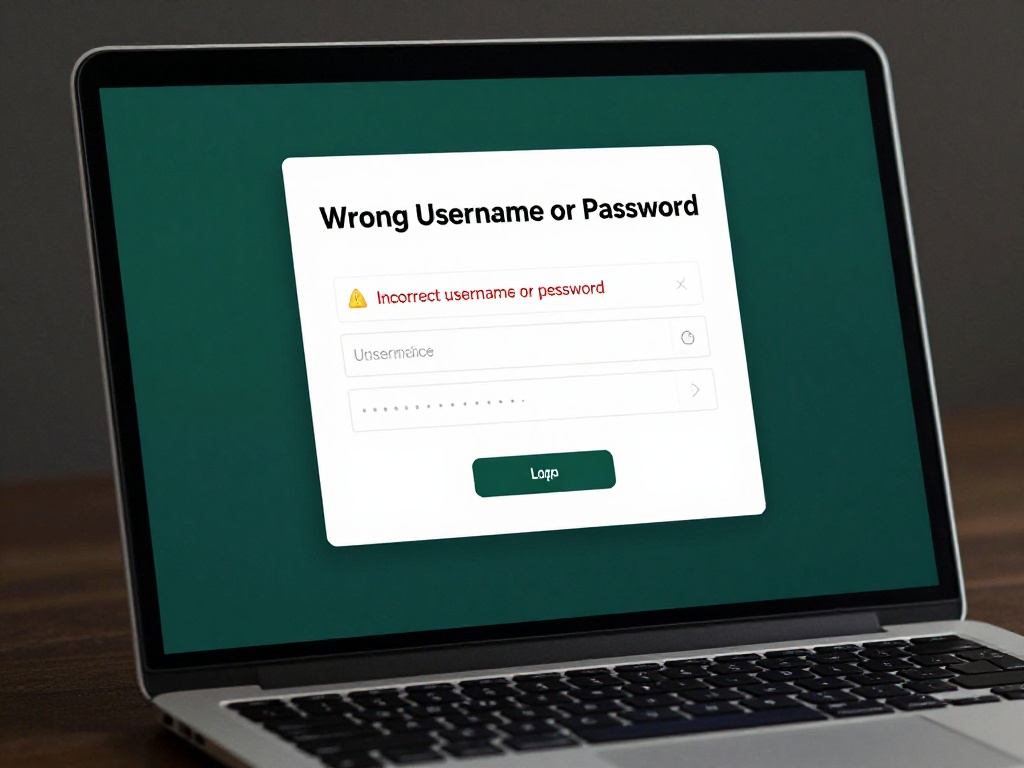
This is the most common reason people cannot get in. If you use the same phone for multiple apps and let your browser save passwords, there is a good chance auto-fill is entering outdated credentials. Caps Lock being on accidentally is another small but frequent cause.
Type your password by hand rather than relying on saved passwords. Check that you are not accidentally typing in the username field. If you still cannot log in, head to the official lotus365 login page and use the Forgot Password link. You will get an OTP on your registered mobile number, and after verifying it, you can set a new password within seconds.
OTP Not Arriving on Your Phone
This one frustrates a lot of users, especially those on certain mobile networks in smaller cities and towns.
First, make sure you have an active signal. If your phone is on flight mode or in an area with a weak signal, the SMS will not come through. Toggle your mobile data off and back on, then wait a full minute before requesting the OTP again.
If the OTP still does not arrive, check your message app’s spam or filtered inbox. iPhones with the Filter Unknown Senders setting on will quietly move service messages there. Android phones with third-party SMS apps sometimes do the same.
One less-obvious cause is your phone’s date and time settings. When your phone’s clock is wrong by even a few minutes, the OTP token validation can fail at the platform’s end. Go to Settings on your phone, find Date and Time, and set it to automatic.
Account Temporarily Blocked
If you enter the wrong password five or more times in a row, the system will automatically lock your account for a period. This is standard security behaviour and it looks alarming, but it is not permanent.
Do not keep attempting to log in. That will only extend the lock. Wait 15 to 30 minutes, then try again with the correct password. Alternatively, go through the password reset flow using your OTP; a successful OTP verification usually clears the temporary block right away.
Page Not Loading or App Getting Stuck
A browser that has stored old data about a website can conflict with the current version of the login page. This shows up as the page getting stuck on a loading screen, the login button doing nothing, or the page appearing blank.
Clear your browser’s cache and cookies. On Chrome for Android, go to Settings, then Privacy and Security, then Clear browsing data. If you are on the Lotus365 app and it is stuck, uninstall it and reinstall from the correct source. Also make sure you are running the latest version of the app, since older builds can misbehave on updated versions of Android or iOS.
Switching browsers often helps too. If Chrome is the problem, try Firefox or your phone’s default browser and see if the login page loads properly there.
Website Domain Blocked by Your ISP
This is a cause that many users do not think about. ISPs in India can restrict access to specific website addresses under government orders. If you suddenly cannot load the site at all, even though you could log in before, a domain block is worth checking.
The easiest test is to switch networks. If the site loads on mobile data but not on your home broadband (or the other way around), that points to a network-level block rather than a problem on your device. The lotus365 blue version of the platform is an alternative access point that some users turn to when a primary domain is unavailable.
Habits That Keep Login Issues Away
Storing your password in a dedicated password manager app (like Google Password Manager or Samsung Pass) is more reliable than browser auto-fill and safer than writing it down. Make sure your registered mobile number stays active, since it is the key to account recovery through OTP.
Always use official URLs. Fake login pages that look exactly like Lotus365 are a known problem. These phishing pages collect your username and password. Before you type anything, check the web address in your browser bar carefully.
If you use a VPN, know that some platforms automatically block logins from VPN addresses as a fraud-prevention step. Turning off your VPN before logging in can fix what looks like a random login error. Logging in from public Wi-Fi at cafes, railway stations, or airports also carries security risks, so avoid it where possible.